MFA External Authentication
What is External Authentication?
Sometimes, LoginID MFA will recommend the external authentication action. This indicates that LoginID is delegating the next authentication decision to your application.
When external is returned as the recommended action, your application is expected to:
- Run its own authentication flow (CIAM, password, OTP, email verification, identity proofing, etc.), or
- Simply authorize the user based on your own business logic (for example, account creation or device trust), and
- Generate an authorization token and pass it back to LoginID to continue the MFA session.
tip
As long as you generate the authorization token and pass it to SDK you will be able to continue with the MFA session.
Use Cases
You may see external as the next action in cases such as:
- New users signing up who do not yet have a passkey
- Existing users signing in on a new device
- Passkey authentication failures
In these cases, LoginID is signaling:
“At this point, authenticate the user however you see fit, then tell me when it’s complete.”
Prerequisites
- Create an application to obtain a base URL. The SDK uses this base URL to interact with the LoginID authentication service.
- Create an API key with at least the external-verify scope. You’ll need this to request authorization tokens from your backend.
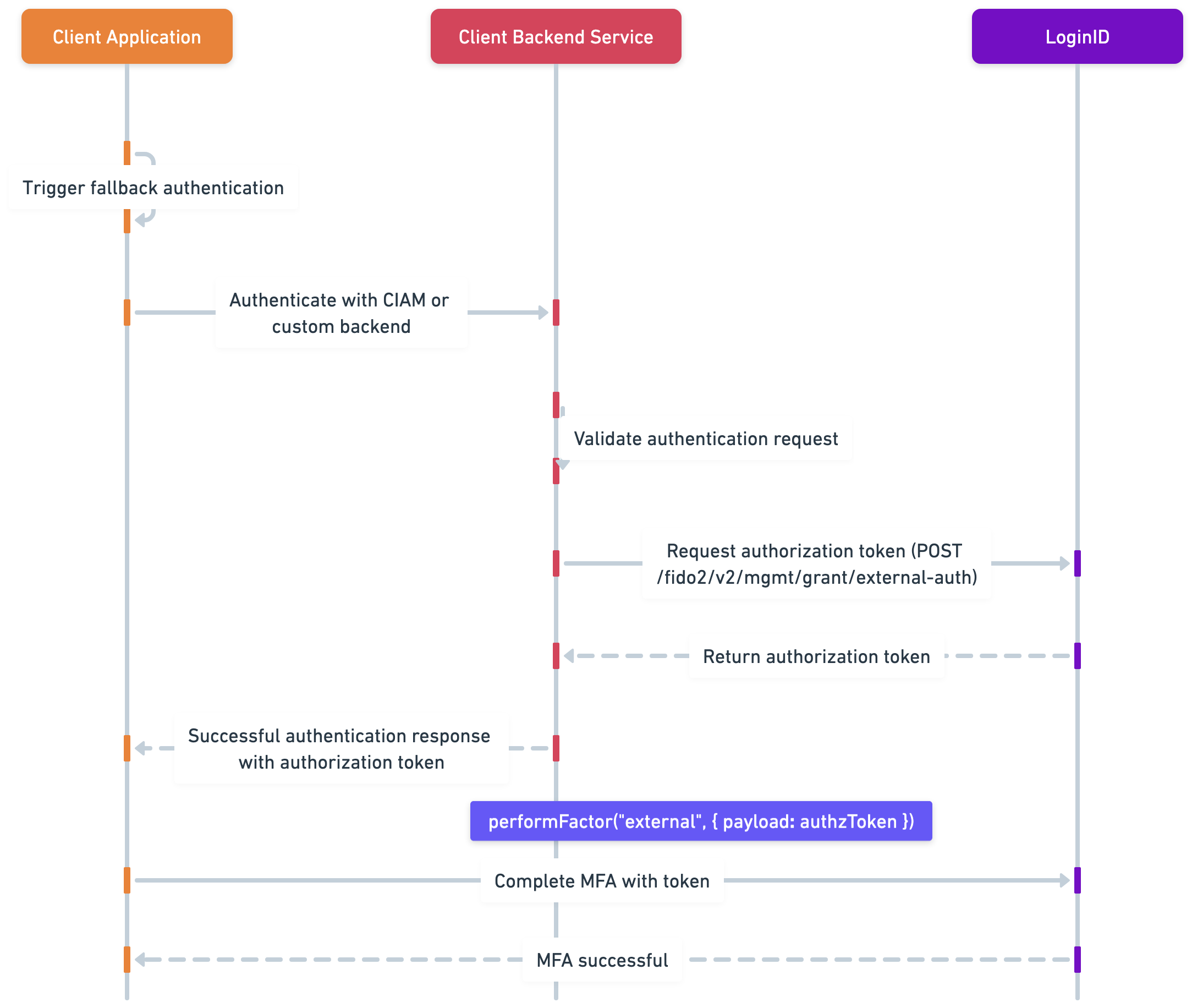
How External Authentication Fits Into the MFA Flow
- Start or continue an MFA session with
beginFlow - Read the recommended
nextAction - If
nextAction === "external":- Authenticate the user using your own system
- Request an authorization token from LoginID using
POST /fido2/v2/mgmt/grant/external-auth - Make sure your API key has the
external-verifyscope when making this request
- Pass the token back to the SDK using:
await mfa.performAction("external", { payload: authToken }); - The MFA flow continues or completes as normal
Full Example
Have a look at the MFA Complete Example for a full implementation of the MFA flow, including handling the external action.